Free Digital Menu
Create a free digital menu to showcase your products and services through a direct link and QR code, with no app required and no technical experience needed.
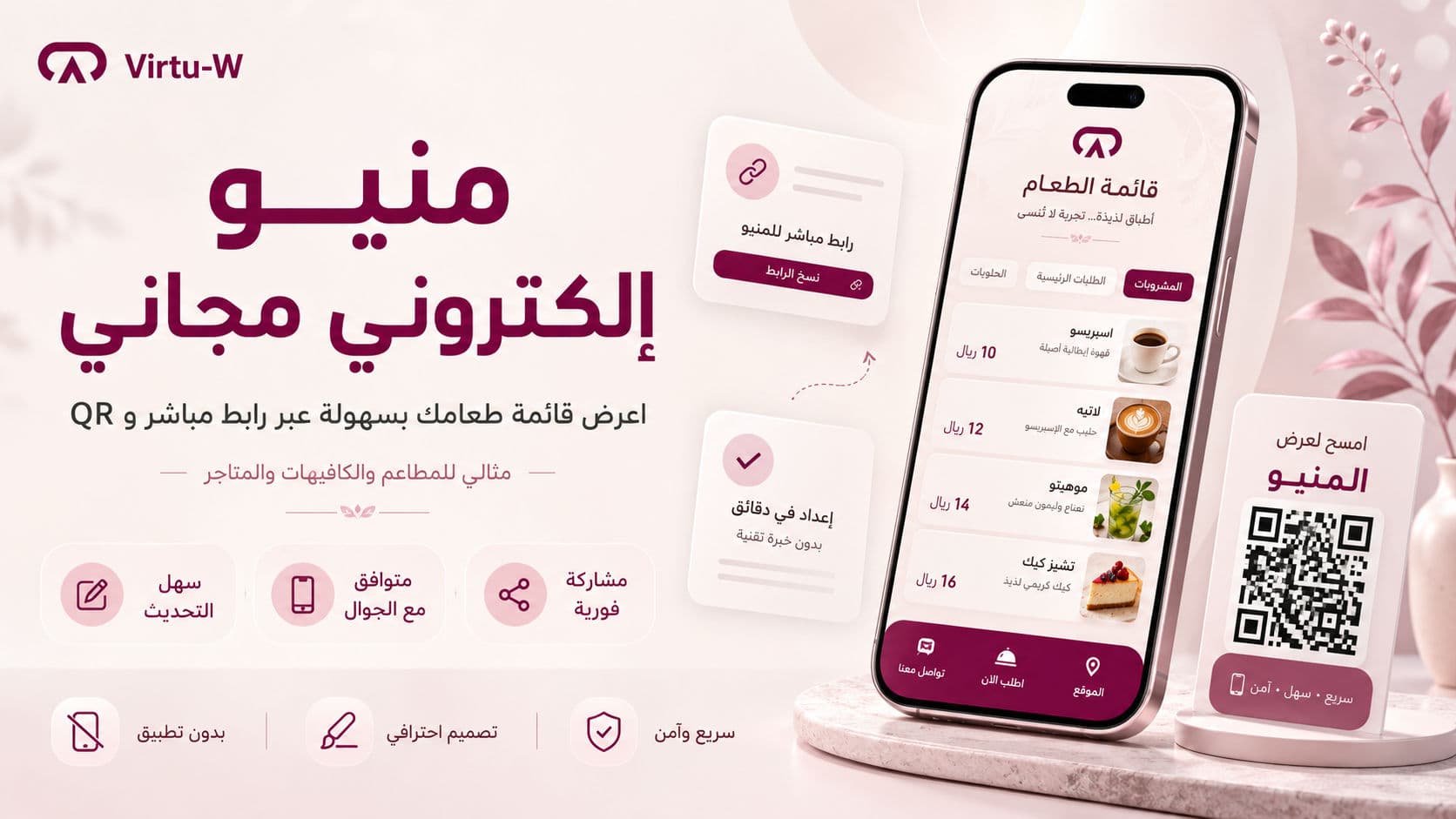
Free Digital Menu: The Easiest Way to Showcase Your Products and Services
A free digital menu has become an essential tool for restaurants, cafés, small stores, and service providers. Customers today want quick access to menus, prices, products, and contact details through a direct link or QR code without downloading an app.
A digital menu is not just a digital version of a printed menu. It is a practical tool that improves customer experience, makes sharing easier, and helps businesses present their products and services professionally.
With Virtu-W, you can create a free digital menu that is easy to share through a direct link or QR code.
What Is a Digital Menu?
A digital menu is an online page that displays the products or services offered by a business. It can include item names, prices, images, descriptions, categories, and contact links.
Instead of printing menus or sending unorganized images to customers, you can share one link that opens directly on mobile or desktop.
Why Use a Free Digital Menu?
A free digital menu gives businesses a simple and affordable way to start building a professional digital presence. It is especially useful for small businesses and new projects.
A digital menu helps you:
Make your menu easy to access.
Update products and prices quickly.
Reduce printing costs.
Share your menu through WhatsApp and Instagram.
Improve the customer experience.
Display products in an organized way.
Use a QR code on tables, flyers, and business cards.
Free Digital Menu for Restaurants
Restaurants can use a digital menu to organize sections such as appetizers, main dishes, drinks, desserts, and offers. Customers can browse items, images, descriptions, and prices directly from their phones.
A QR code can also be placed on tables so customers can scan it and open the menu instantly.
Free Digital Menu for Cafés
Cafés often need a clear and fast menu for hot drinks, cold drinks, desserts, seasonal items, and add-ons. A digital menu makes it easy to organize these categories and update them whenever needed.
You can also share the menu link on Instagram, WhatsApp, and other channels.
Free Digital Menu for Stores and Service Providers
Although digital menus are commonly used by restaurants and cafés, they are also useful for stores and service providers. You can use them to display:
Products.
Packages.
Services.
Prices.
Offers.
Contact options.
Previous work.
This makes the digital menu a simple and effective presentation page for your business.
How Does a QR Digital Menu Work?
When you create a digital menu, you get a direct link that can be opened from any browser. This link can also be connected to a QR code that customers scan using their phone camera.
Once scanned, the customer opens your digital menu instantly. This makes the experience faster and more professional.
Benefits of Using a Free Digital Menu with Virtu-W
Virtu-W provides a simple way to create a free digital menu without technical complexity. It helps you display your products, services, and business details in one place.
Key benefits include:
Free digital menu creation.
Direct menu link sharing.
QR code access.
Mobile-friendly design.
Easy updates.
Organized product and service display.
Ability to connect the menu with a business bio page.
Suitable for restaurants, cafés, stores, and service providers.
No app required for customers.
No technical experience needed.
Printed Menu vs Digital Menu
A printed menu requires reprinting whenever prices or products change. A digital menu can be updated quickly and shared easily across platforms.
This gives business owners more flexibility, especially when adding seasonal offers, new items, or temporary promotions.
Is a Digital Menu Good for Small Businesses?
Yes. A digital menu is especially useful for small and new businesses. Instead of paying for a full website or printing many menus, you can start with a free digital menu that clearly displays your products and services.
It is useful for home businesses, small cafés, new restaurants, online stores, and service providers.
How to Choose the Best Free Digital Menu Platform
When choosing a free digital menu platform, look for:
Ease of use.
Mobile-friendly design.
Link sharing.
QR code support.
Clean and professional layout.
Easy product and price updates.
Image and description support.
Contact links or bio page.
Arabic language support if your audience is Arabic-speaking.
The easier and clearer the platform is, the better it is for both the business owner and the customer.
SEO Tips for Your Digital Menu
To help your digital menu appear in search results, include clear text such as your business name, service type, city, menu categories, product descriptions, and keywords your customers may search for.
Useful keywords include:
free digital menu.
restaurant digital menu.
café QR menu.
online menu.
QR menu.
digital menu for restaurants.
mobile menu.
It is also better to add short descriptions instead of relying only on images.
Free Digital Menu Without an App
A good digital menu should not require customers to download an app. The customer simply opens a link or scans a QR code and views the menu directly.
This reduces friction and makes browsing easier.
Conclusion
If you are looking for a free digital menu that helps you display products or services easily, Virtu-W can be a practical option. It gives you a simple way to create a digital menu that can be shared through a direct link and QR code, without an app or technical experience.
Whether you run a restaurant, café, store, or small business, a digital menu can help you improve the customer experience, reduce printed menu costs, and build a professional digital presence from the start.